For touring production and live events
Know the truck fits before it turns up.
TruckPacked plans how flight cases, scenery and instruments load into a truck — in 3D, with live weight, centre of mass and axle figures, and a printable load plan the crew can actually work from.
Seven days of Pro for $1, then $99 a month or $69 for a single truck. See what is in each plan.
Squared paper
Most truck packs still live on a sketch, in one person’s head, or in a photo of last year’s load taken at 3am.
Guessed weights
Everything fits, right up until the weighbridge. Axle limits are the ones that catch people out, not gross weight.
Re-planned nightly
A pack that only exists in someone’s memory gets rebuilt at every load-out, by whoever is on the truck that night.
What it does
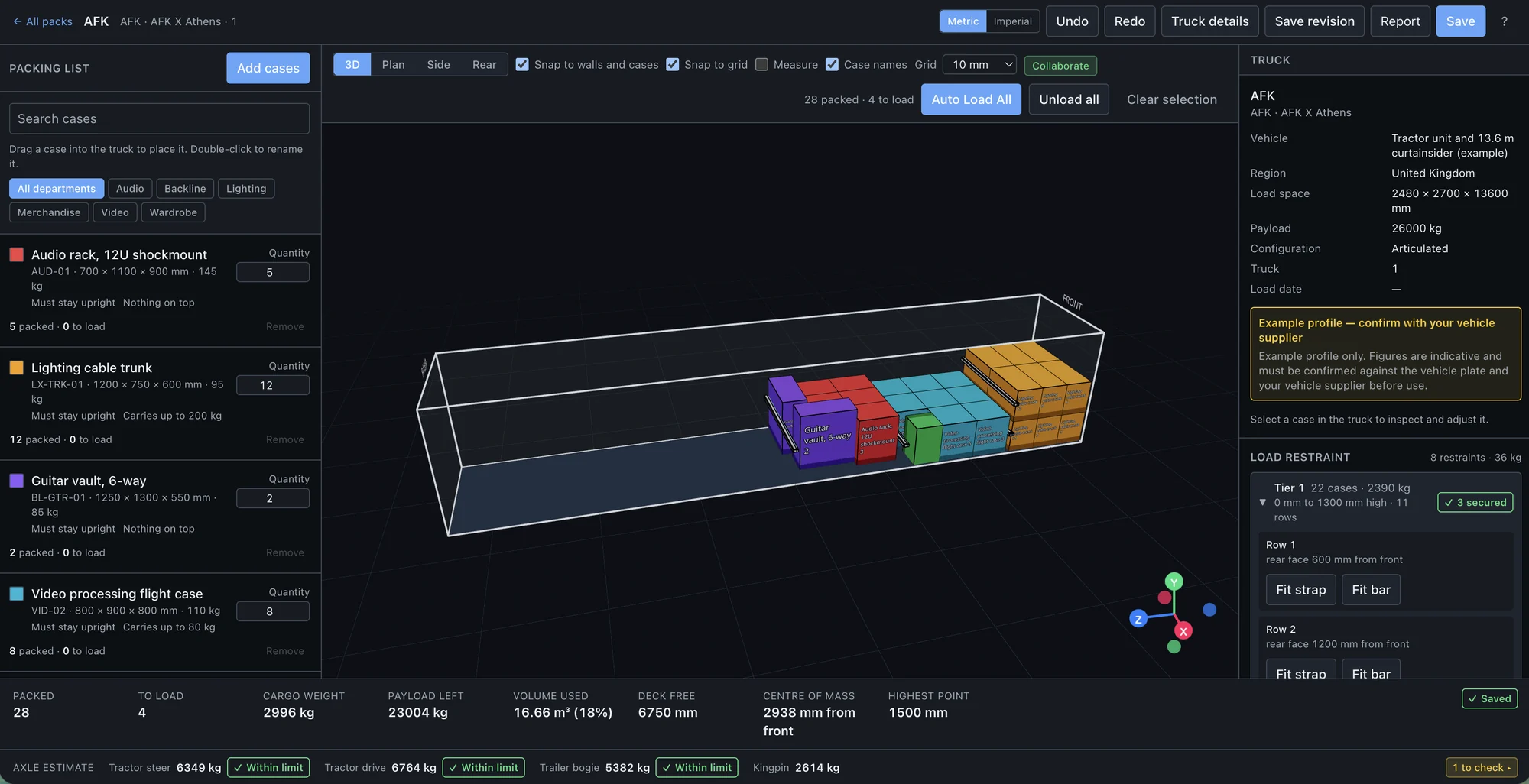
Drag cases into place, in plan or in 3D
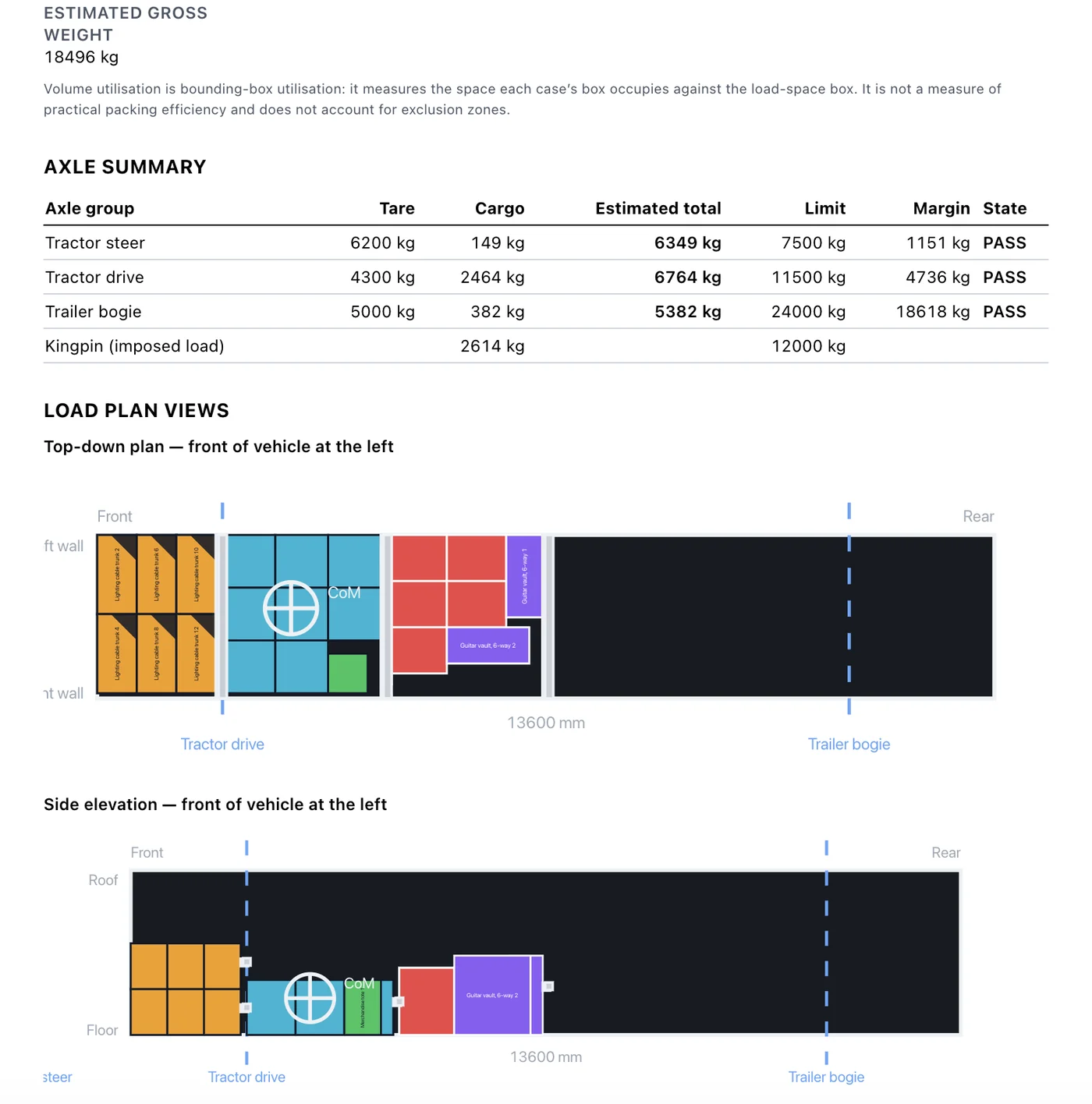
Build the load the way you would in your head. Drop a case anywhere — on the floor, on top of another, bridging two. The geometry is checked as you go, so an impossible plan cannot be drawn.
Weight and axle estimates as you load
Cargo weight, centre of mass and per-axle loads update on every move, checked against the profile’s limits. Move a heavy rack rearwards and watch the front axle come off.
Stacking that behaves like the real thing
Support is measured, not assumed. A smaller case can sit on a larger one, a long case can bridge two trunks, and too much overhang is refused — with a reason, not just a red outline.
Wheel arches, bulkheads and tail-lifts
Exclusion zones are part of the vehicle, so the plan cannot quietly put a trunk through an arch. Door apertures are recorded too, because a case that fits the space still has to get in.
Load restraint, row by row
Fit a load bar behind each row of each tier. Bars are modelled as real objects with real weight — they collide, and they count towards the cargo total and the axle figures.
Your case library, organised
Build a catalogue of your own flight cases with dimensions, weights and whether they tip or stack. Group it in nested folders per client or tour, and import an existing list from a spreadsheet.
Vehicle profiles you can trust
Start from example profiles by region, then copy one and correct it against the actual plate. A profile you have verified is marked as such, so nobody plans against a guess by accident.
Load plans the crew can work from
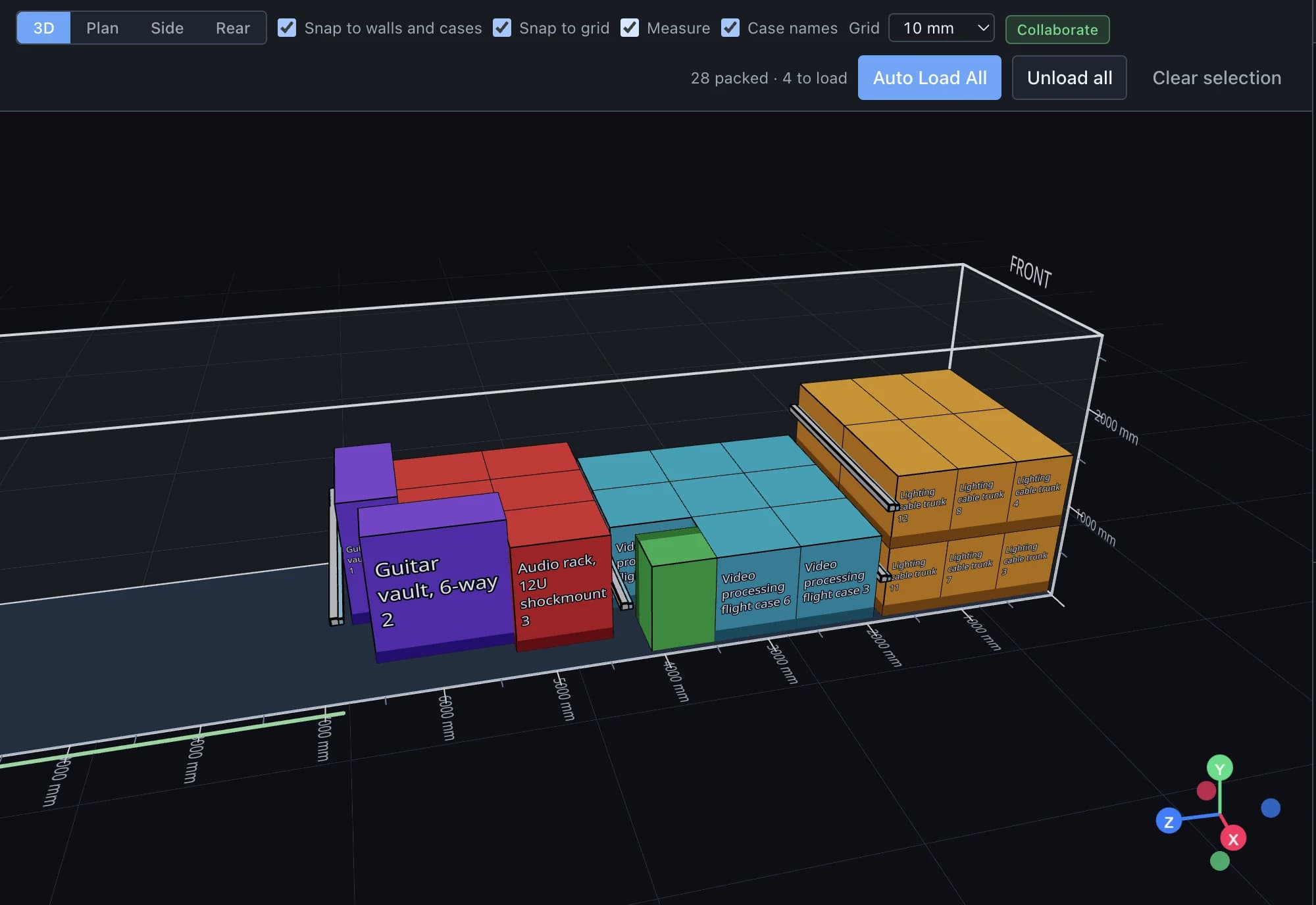
A printable plan with the manifest, axle summary, restraint list and every assumption stated. Put your company name and logo on it, save a revision, and hand it to the driver.
A plan the crew can work from
Every pack prints with the axle summary, a top-down plan, a side elevation and the manifest — so the load goes on the same way every night, whoever is on the truck.

Axle figures update as you load. They are estimates from the weights you enter, not a substitute for a weighbridge — but they catch the drive axle going over long before the ticket does.
How it works
- 1
Pick the truck
Choose a vehicle profile, or copy one and correct it against the plate.
- 2
Load it
Drag cases in from your library. Stack, bridge, rotate and secure with load bars.
- 3
Check the numbers
Weight, centre of mass and axle loads, against the limits, before anything is lifted.
- 4
Print the plan
Branded load plan for the crew, saved as a revision you can come back to.
About the numbers
The axle figures are engineering estimates from the geometry and weights you enter. They are there to catch the plan that is obviously over before you get to a weighbridge — not to replace one, and not to be quoted as a legal weight.
The example vehicle profiles are indicative. Copy one, correct it against the actual plate, and mark it verified before you rely on it. TruckPacked shows you which profiles have been checked and which have not, because that distinction matters more than any feature on this page.
Plan your next load
Set up a workspace, build your case library once, and stop redrawing the same truck every tour.